Newsletter widgets
Use ezstandalone.showNewsletter to collect newsletter emails on your site. Visitors submit through a built-in overlay, a sized in-page unit, or your existing signup form. Captured emails appear in Identity → Captured Emails. Identifying readers who already arrive from a newsletter campaign is a separate step — see Email Service Integration.
Ezoic's email capture is skipped when visitor privacy signals deny collection (for example Global Privacy Control, GDPR consent missing the storage purpose, or US state privacy opt-outs). Publisher-owned custom form submits to your own ESP are unaffected.
showNewsletter returns true if the request was accepted (or queued to show), and false for an unknown placement or if the page is not ready. A missing or undersized native container does not mount a widget — do not treat the first call’s return value as a size check. That return value is not whether an email was captured.
showNewsletter from a button, a completed article, a paywall, or any other moment you choose. There is no scroll, time, or click trigger built in.
Interstitial
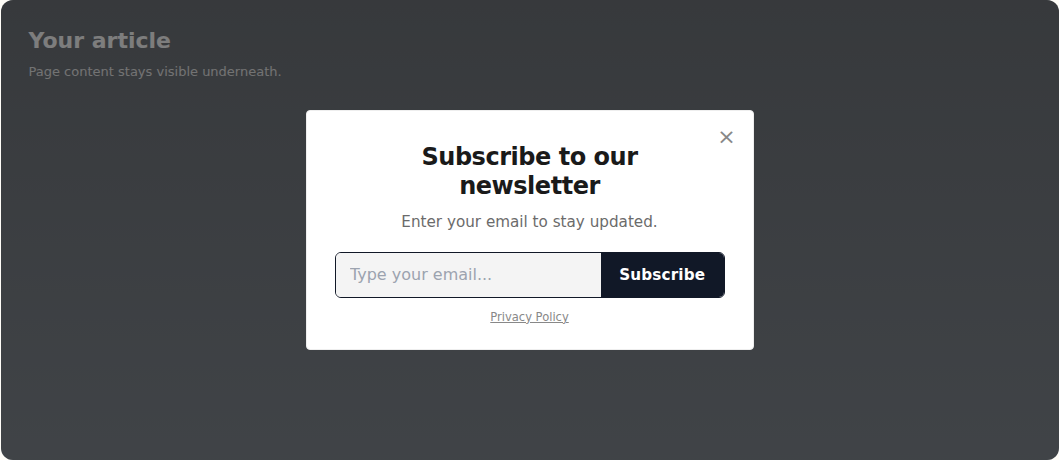
The interstitial is a centered card over a dimmed page, with a close control. Use it when you want the visitor's full attention.
<button id="open-newsletter">Subscribe</button>
<script>
    window.ezstandalone = window.ezstandalone || {};
    ezstandalone.cmd = ezstandalone.cmd || [];
    document.getElementById("open-newsletter").addEventListener("click", function () {
        ezstandalone.cmd.push(function () {
            ezstandalone.showNewsletter({ placement: "interstitial" });
        });
    });
</script>
Default copy is Subscribe to our newsletter, Enter your email to stay updated., and a Subscribe button. A Privacy Policy link appears when you pass privacyPolicyUrl or when a safe http(s) privacy policy URL is already available for the site. The link is omitted otherwise.
Native in-page units
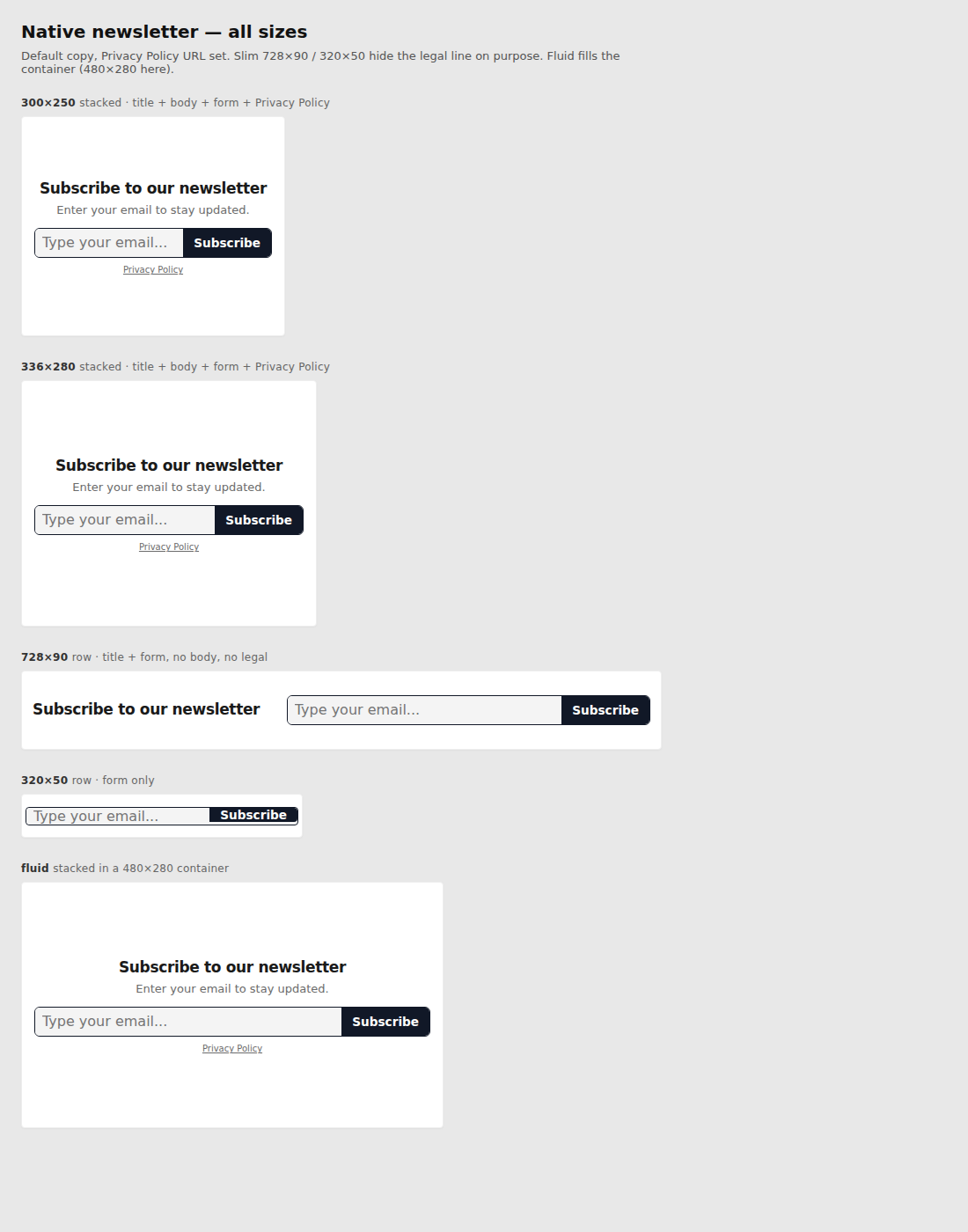
Native units mount into a container you already have on the page. Fixed sizes use IAB boxes. fluid fills whatever box you give it.
size |
Layout |
|---|---|
300x250 |
Stacked: title, body, joined email + Subscribe, Privacy Policy when a URL is available |
336x280 |
Same stacked layout, larger box |
728x90 |
Row: title + form. No body, no Privacy Policy |
320x50 |
Form only |
fluid |
Stacked layout sized to the container at mount |
The host element must already be in the document. For a fixed size, the host must be at least that width and height or nothing is rendered. fluid uses the container's box at mount time (it does not keep stretching on later resize).
<div id="newsletter-slot" style="width:300px;height:250px;"></div>
<script>
    window.ezstandalone = window.ezstandalone || {};
    ezstandalone.cmd = ezstandalone.cmd || [];
    ezstandalone.cmd.push(function () {
        ezstandalone.showNewsletter({
            placement: "native",
            size: "300x250",
            containerId: "newsletter-slot"
        });
    });
</script>
Fluid example — the widget stretches to the container:
<div id="newsletter-inline" style="width:100%;min-height:220px;"></div>
<script>
    ezstandalone.cmd.push(function () {
        ezstandalone.showNewsletter({
            placement: "native",
            size: "fluid",
            containerId: "newsletter-inline"
        });
    });
</script>
You can pass a live node as element instead of containerId. Do not pass HTML strings.
Existing form (custom)
If you already have a Mailchimp, Mailjet, Klaviyo, or other newsletter form, bind it without replacing the markup. Ezoic copies the email and posts it in the background. Your form still submits to your ESP — the call does not preventDefault or restyle the form.
<script>
    window.ezstandalone = window.ezstandalone || {};
    ezstandalone.cmd = ezstandalone.cmd || [];
    ezstandalone.cmd.push(function () {
        ezstandalone.showNewsletter({ placement: "custom" });
    });
</script>
With no host argument, Ezoic finds newsletter-like forms on the page (email field plus a subscribe/sign up/join control, or a form marked for a known ESP) and also watches for forms that mount later. Login forms with a password field are skipped.
To target one form:
ezstandalone.cmd.push(function () {
    ezstandalone.showNewsletter({
        placement: "custom",
        containerId: "my-newsletter-form"
    });
});
Optional markers on your markup: [data-ez-newsletter] on the host, [data-ez-email] on the email field, [data-ez-submit] on the submit control. copy and colors are ignored on custom — keep styling the form yourself.
Customize colors
Layout and typeface stay fixed. You can change colors with a colors object on the call, or with CSS variables on [data-ez-newsletter].
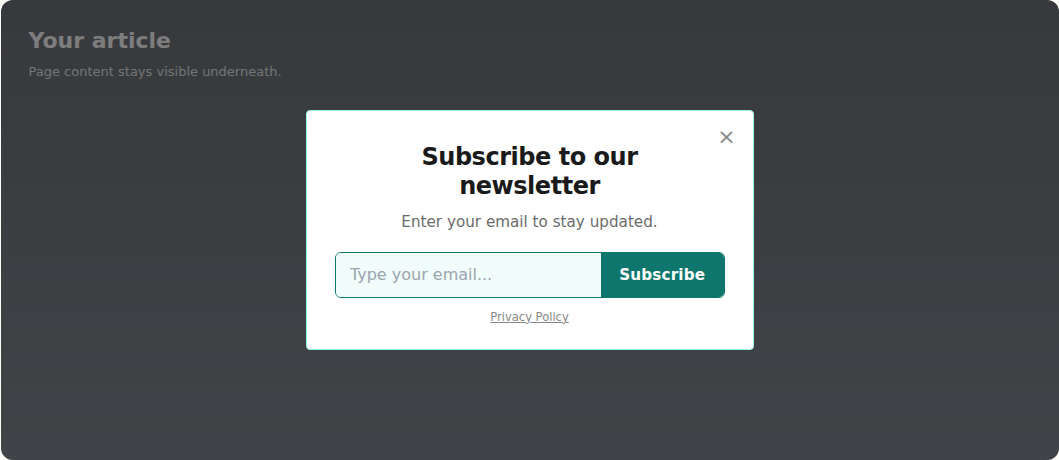
This example uses a teal accent (#0f766e) on the interstitial:
ezstandalone.cmd.push(function () {
    ezstandalone.showNewsletter({
        placement: "interstitial",
        colors: {
            accent: "#0f766e",
            accentText: "#ffffff"
        }
    });
});
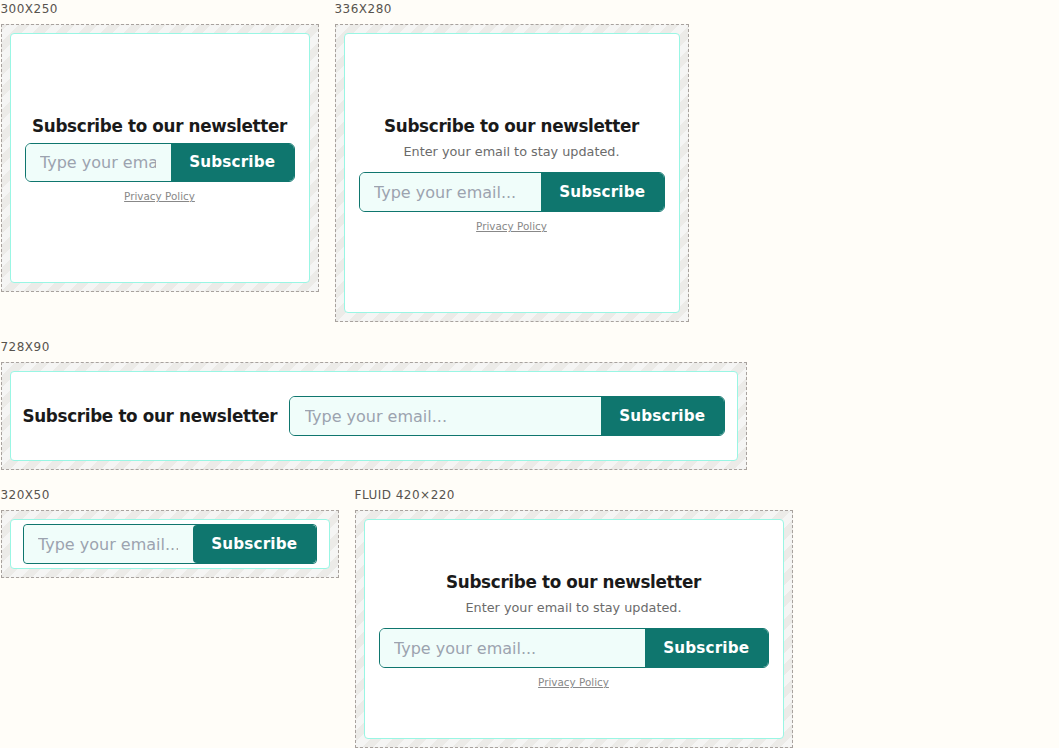
The same tokens apply to every native size. Layouts stay as in the table above; only colors change:
ezstandalone.cmd.push(function () {
    ezstandalone.showNewsletter({
        placement: "native",
        size: "336x280",
        containerId: "newsletter-slot",
        colors: {
            accent: "#0f766e",
            accentText: "#ffffff",
            border: "#99f6e4",
            inputBackground: "#f0fdfa"
        }
    });
});
Or set the CSS variables once for every widget on the page:
[data-ez-newsletter] {
    --ez-newsletter-accent: #0f766e;
    --ez-newsletter-accent-ink: #fff;
    --ez-newsletter-border: #99f6e4;
    --ez-newsletter-input-bg: #f0fdfa;
}
JS colors key |
CSS variable | Default |
|---|---|---|
background |
--ez-newsletter-bg |
#fff |
text |
--ez-newsletter-ink |
#1a1a1a |
muted |
--ez-newsletter-muted |
#6b6b6b |
accent |
--ez-newsletter-accent |
#111827 |
accentText |
--ez-newsletter-accent-ink |
#fff |
border |
--ez-newsletter-border |
#eee |
inputBackground |
--ez-newsletter-input-bg |
#f4f4f4 |
overlay |
--ez-newsletter-overlay |
rgba(0,0,0,0.5) |
Use hex (#0f766e) or rgb() / hsl() values. Invalid strings are skipped; the widget still shows with remaining defaults. Overlay only applies to the interstitial.
Customize copy
Override title, body, button label, and optional purpose text. Blank values fall back to the defaults above.
ezstandalone.cmd.push(function () {
    ezstandalone.showNewsletter({
        placement: "interstitial",
        copy: {
            title: "Get new posts in your inbox",
            body: "One email a week. No spam.",
            submitLabel: "Subscribe"
        },
        purposeText: "We'll email you new articles and site updates.",
        privacyPolicyUrl: "https://www.example.com/privacy-policy",
        colors: {
            accent: "#0f766e",
            accentText: "#ffffff"
        }
    });
});
728x90 still hides body and the legal line. 320x50 still shows only the form, even if you pass a custom title and body.